How to check the funding rate on OKX
On OKX there are three places to see funding: the top of the trading page (current coin), the funding rate page (every contract) and the history (what was actually settled each period). No login is needed.
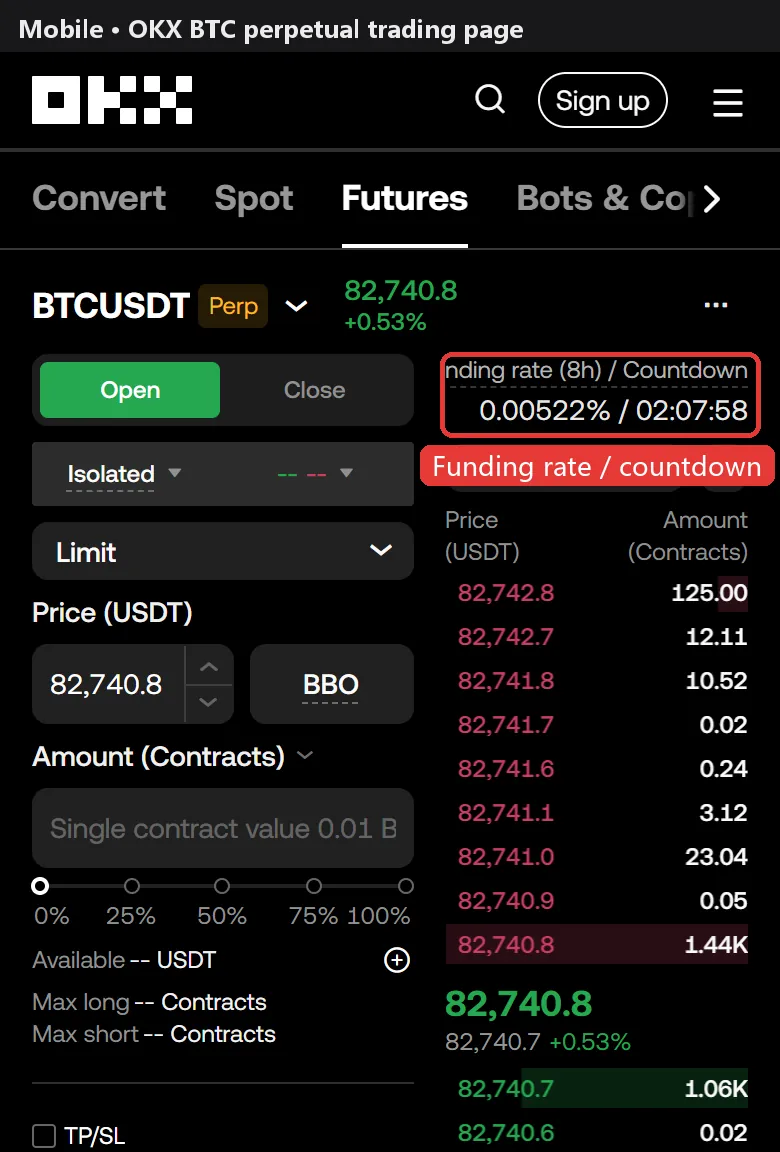
Step 1: read the rate and countdown on the trading page
Open the BTC perpetual on OKX. Above the order book you will see the funding rate and the countdown to the next settlement. The rate is the expected rate for this period and can change until settlement; whoever holds a position when the countdown hits zero pays or receives it.
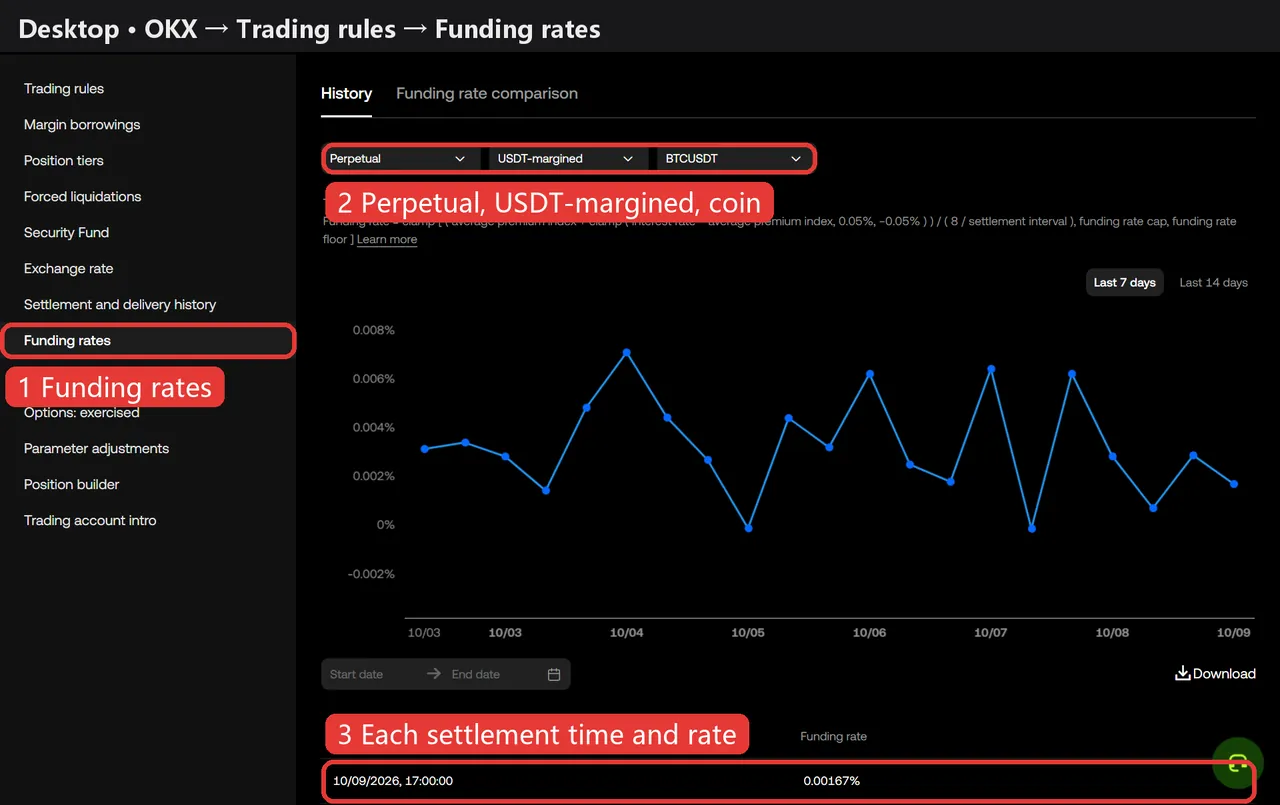
Step 2: see the funding rate of every contract
On desktop go to Trading rules → Funding rates and pick Perpetual, USDT-margined and the coin. The page shows OKX's formula, a chart and every settlement time and rate, which you can filter by date or download.
Current funding on OKX
| Coin | Rate | Interval | Next | Lowest elsewhere |
|---|---|---|---|---|
| BTC | +0.0100% | 8h | 00:00 | Binance +0.0035%/8h |
| ETH | +0.0026% | 8h | 00:00 | Binance +0.0012%/8h |
| SOL | +0.0051% | 8h | 00:00 | HTX -0.0066%/8h |
| XRP | +0.0075% | 8h | 00:00 | Gate +0.0076%/8h |
| DOGE | +0.0055% | 8h | 00:00 | Bybit +0.0011%/8h |
| BNB | +0.0013% | 8h | 00:00 | HTX -0.0314%/8h |
OKX lists 289 USDT perpetuals: 1 settle every 1h, 2 settle every 2h, 210 settle every 4h, 76 settle every 8h. All OKX rates →
Compare with other exchanges
The same coin often has very different funding on different exchanges. The funding comparison shows all 6 side by side, and the holding cost calculator shows where your position is cheapest. New to funding? Start with what a funding rate is.
Screenshots taken 2026-10-09; layouts may change after exchange updates.