How to sign up on Binance: account, KYC and futures
You can sign up for Binance with email, phone, Google, Apple or Telegram in a few minutes, but <b>new accounts can't deposit or trade until identity verification is done</b>, and futures need a separate futures account. This guide follows Binance's help center and works out the cost of a first trade.
Before you start
- An email address or phone number; codes are valid for 30 minutes.
- A valid ID of your own (national ID, passport or driver's licence depending on country) and a face check.
- You must be 18+, and each person may hold one Binance account unless Binance agrees otherwise.
- The account type (individual or entity) can't be changed later, so choose Individual.
- Check that Binance serves your country: see the terms of use and the restricted-countries list they link to.
Step 1: open the sign-up page
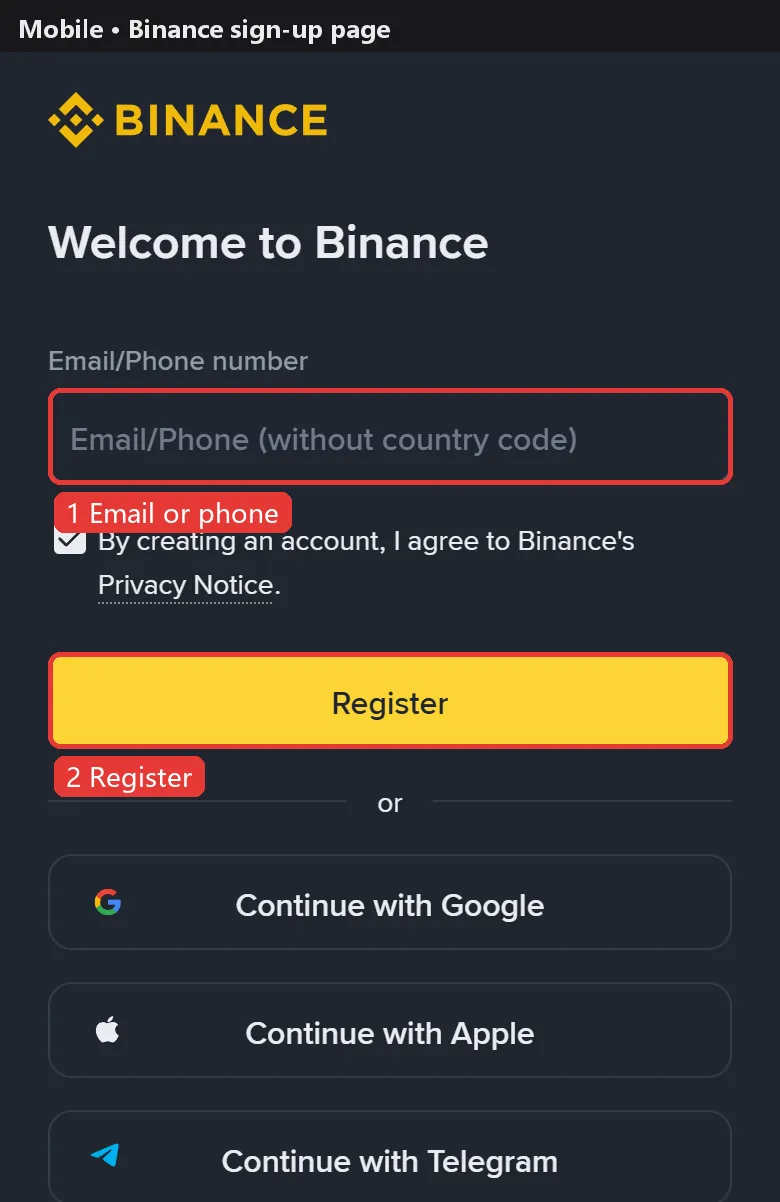
Open the Binance sign-up page, or install the app and tap Sign Up. Our button applies the referral code, which shows as Linked on the last step.
Step 2: enter email or phone, password and referral code
Choose email, phone, Google, Apple or Telegram, enter your email or number and tap Sign Up.
Set a password of at least 8 characters with at least 1 capital letter and 1 number.
The last step is the referral code: via a referral link it is filled in and marked Linked. Binance says a linked code can't be changed and doesn't say one can be added later, so confirm it here.
Step 3: enter the verification code
Enter the 6-digit code from your email or phone (valid for 30 minutes).
Nothing arrived? Check spam, whitelist Binance's sender, wait 10 minutes and resend. Where SMS isn't supported, use a passkey or an authenticator app.
Step 4: verify your identity
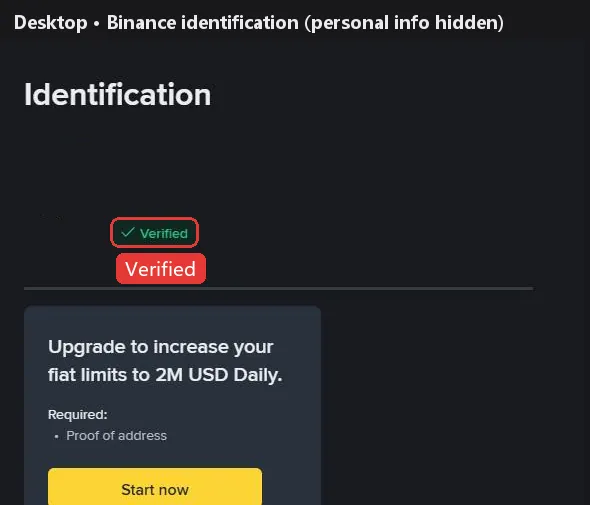
New users must reach Verified before depositing or trading. Photograph both sides of your ID and complete the liveness check; Binance says reviews usually finish within 48 hours.
Glare, cut-off corners and a name that doesn't match are the most common reasons for rejection.
Step 5: secure your account
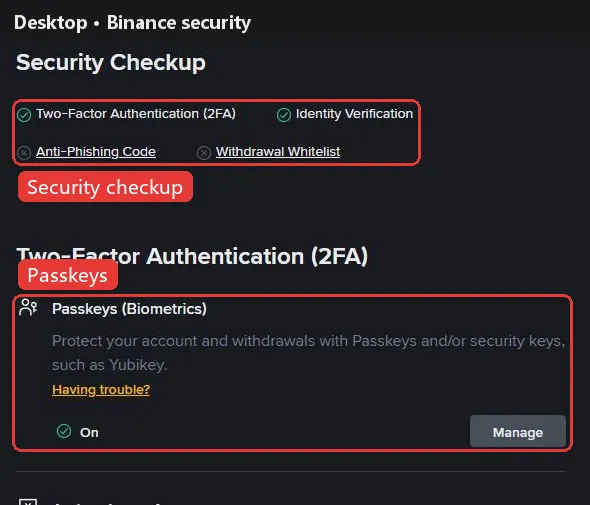
Turn on at least one form of 2FA (authenticator app or passkey), then set an anti-phishing code and the withdrawal whitelist. Changing your email or phone pauses withdrawals and P2P for 24 hours.
Step 6: deposit USDT
USDT perpetuals use USDT as margin. The usual way in is an on-chain transfer from another exchange or wallet: on Binance tap Deposit, choose USDT and a network (such as TRC20, ERC20 or BEP20), copy the address, then send from the other side on the same network. A wrong network can mean lost funds, so try a small amount first.
Binance also sells USDT by card or P2P, depending on your region.
Step 7: open futures and place a first order
- Tap Futures, then Open account. Identity verification must be complete.
- Pick your trading experience and accept the futures agreement; some versions ask a short quiz first. Binance sets default leverage by experience: 2x for beginners, 5x experienced, 20x advanced.
- Transfer USDT from Spot or Funding to the USDⓈ-M futures wallet.
- Pick a pair such as BTCUSDT perpetual. Binance defaults to cross margin; beginners usually switch to isolated. Choose limit or market, enter the size and tap Buy/Long or Sell/Short. Check the funding rate and countdown first.
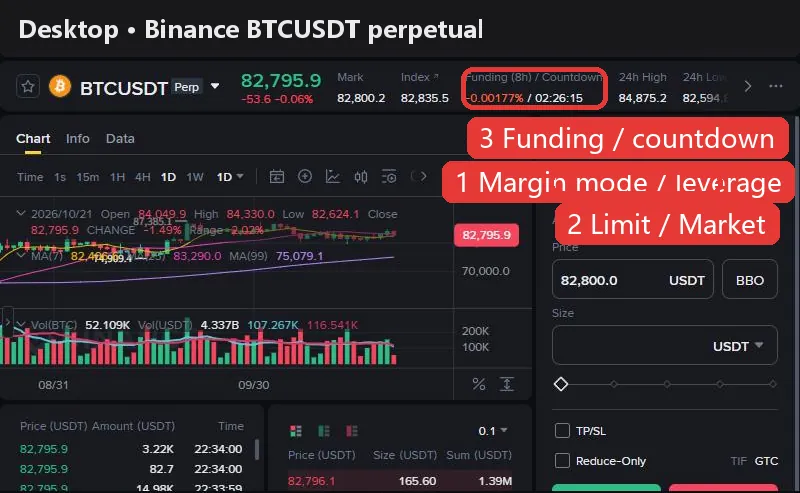
Work out the cost first. At Binance's standard rates, opening and closing a 10,000 USDT position with market orders costs about 10.0 USDT in fees (0.050% taker × 2), or 4.0 USDT with limit orders that rest on the book. Holding also pays or receives funding at every settlement: BTC is at +0.0037% now, so a 10,000 USDT long pays about 0.37 USDT this period. The holding cost calculator shows where a position is cheapest to hold.
The higher the leverage, the smaller the move that liquidates you. Beginners usually start at 2–5x with isolated margin and a stop-loss.
Binance vs other exchanges: fees and funding
| Exchange | Maker | Taker | BTC funding | ETH funding | Sign-up guide |
|---|---|---|---|---|---|
 Binance Binance | 0.020% | 0.050% | +0.0037% | +0.0014% | This page |
 OKX OKX | 0.020% | 0.050% | +0.0100% | +0.0029% | Guide |
 Bybit Bybit | 0.020% | 0.055% | +0.0082% | +0.0019% | Guide |
 Bitget Bitget | 0.020% | 0.060% | +0.0081% | +0.0025% | Guide |
 Gate Gate | 0.020% | 0.050% | +0.0076% | +0.0056% | Guide |
 HTX HTX | 0.020% | 0.060% | +0.0100% | +0.0100% | Guide |
Fees are each exchange's standard USDT perpetual rates (checked against official pages on 2026-10-09). Funding updates every 2 minutes; the superscript is the settlement interval (none means 8h). See the full comparison for every coin.
FAQ
Can I add or change a Binance referral code after signing up?
Binance says a linked referral code can't be changed and doesn't say one can be added later. Make sure it shows Linked on the last sign-up step.
Can I use Binance without KYC?
New users can't deposit or trade until Verified; older unverified accounts are withdrawal-only.
How long does Binance verification take?
Binance says usually within 48 hours, often much faster.
Do I need to open a separate Binance futures account?
Yes. Go to Futures → Open account, choose your experience and accept the agreement. Verification comes first.
What are Binance futures fees?
Standard users pay 0.02% maker and 0.05% taker on USDⓈ-M futures. Opening and closing 10,000 USDT with market orders costs about 10 USDT.
I didn't get the Binance verification code.
Check spam, whitelist Binance's sender and retry after 10 minutes; if SMS isn't supported, use a passkey or authenticator app.
How many Binance accounts can I have?
The terms require that you have no existing account when applying, and multiple accounts need Binance's written consent.
Checked against Binance's official help center on 2026-10-22. Buttons and promotions change; the sign-up page is the final word. Make sure Binance is available and legal where you live, and never use someone else's ID or a false country of residence. Futures trading is high risk and you can lose all of your margin. Sources: Registration guide, Identity verification, Open a futures account, Transfer to futures, Verification codes, Terms